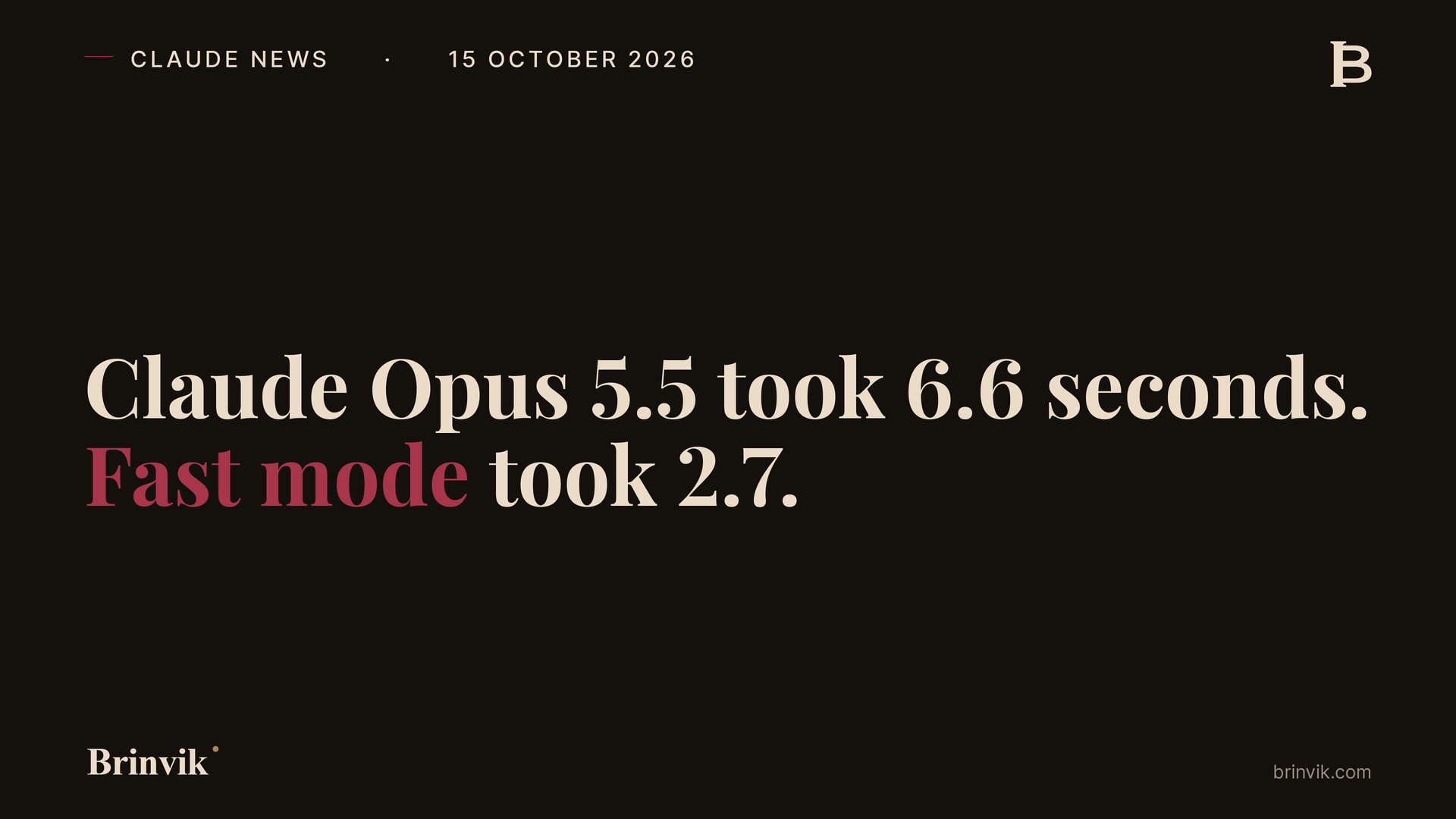

TL;DR: "You're 18 percent more expensive than the people we use today," the finance director says on the phone. With Claude Opus 5.5 at standard speed, the salesperson's answer was finished on screen after 6.6 seconds. With fast mode, after 2.7.
On 15 October Anthropic made fast mode a regular option on Claude Opus 5.5: the same model, up to 2.5 times faster according to Anthropic, at twice the price per token. I raced the two speeds on the same sales call, the same follow-up email and the same offer summary, sent in the same second, 24 times.
Fast mode finished first every time, but the interesting part is why: on the short answer most of the wait was thinking you can't see, and you can also turn that down and pay less. The quickest combination of all was fast mode at low effort: 2.0 seconds for 1.4 cents, a little more than the 1.1 cents of a standard-speed answer at the default effort. The prompts and every request are free: download the zip.
In the demo below you can replay the races yourself, at the speed they actually ran, and read both answers as Claude wrote them.
On 15 October Anthropic wrote in the Claude Platform release notes that fast mode on Claude Opus 5.5 is out of research preview and no longer needs an access request. Fast mode is the same model with a faster setup, and according to the docs it changes neither intelligence nor capabilities. It costs $8 per million input tokens and $40 per million output, compared with $4 and $20 at standard speed. It works through the Claude API, Claude Managed Agents and Claude in Microsoft Foundry on deployments hosted on Azure.

6.6 seconds of silence on the call
The test is set at an invented company, Brask & Holm Compressor Service, which sells service contracts for industrial compressors. Sofie, the salesperson, is on the phone to Leif, finance director at an equally invented factory, who has just said they're 18 percent more expensive. Claude has the facts in front of it: the price, the competitor's price, that the factory's line stood still for 19 hours last year, and that Leif himself has said an hour of downtime costs them DKK 22,000. The task is two sentences Sofie can say straight away, the kind of reply an AI sales agent would give a salesperson mid-call.
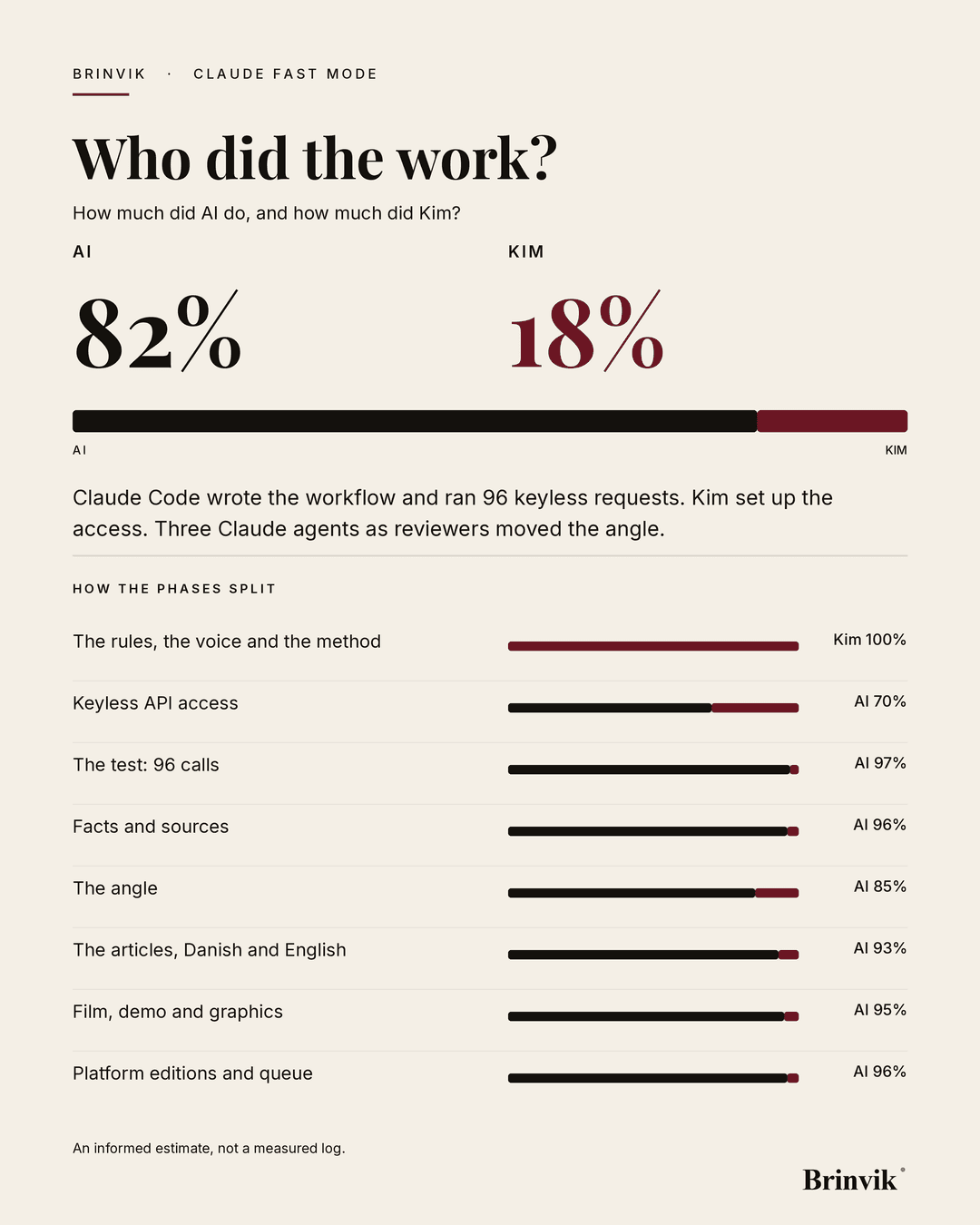
The same prompt went to Claude Opus 5.5 twice in the same second, once at standard speed and once with fast mode, and the workflow measured when the first word appeared and when the answer was finished. I did that for three tasks: the answer on the call, a follow-up email of about 150 words and an offer summary of about 450 words, in Danish and English, four times each. That's 24 races and 48 requests in all, through the Claude API from a GitHub workflow that Claude Code set up for Brinvik.

In one of the races, fast mode had written this after 2.4 seconds: "You're right, we're DKK 28,000 a year more, but that price includes all spare parts, which you pay for separately today, and last year's 19 hours of downtime cost you around DKK 418,000 by your own figure of DKK 22,000 an hour." Standard speed made the same point in other words and finished after 6.7 seconds.
Across all eight races with the answer on the call, standard speed took a median 6.6 seconds and fast mode took 2.7. The follow-up email took 7.2 versus 3.0 seconds, and the offer summary 19.6 versus 7.3. Fast mode finished first in all 24 races.
The slowest of the eight answers on the call took 8.3 seconds at standard speed and 3.8 with fast mode, and that's the one a customer remembers.
If you want to try it on your own prompt, the script, the prompts and all 48 requests with times and tokens are in the zip, along with the guide in English. With your own API key, a race on my prompts cost between about 3 and 13 cents. If you don't have one, use your phone's stopwatch the next time a salesperson waits on Claude: from the moment you press enter until the first word appears. Your numbers won't match mine, because they depend on how long the answer is and how much Claude thinks.

The docs are right, and the silence still falls by half
Anthropic's docs say fast mode speeds up the writing itself, not the time to the first token: "Speed benefits are focused on output tokens per second (OTPS), not time to first token (TTFT)." That's true. The time from sending the request to the first event in the stream was 1.3 seconds at standard speed and 1.1 with fast mode. Even so, the first visible word appeared after 2.2 seconds instead of 5.4.
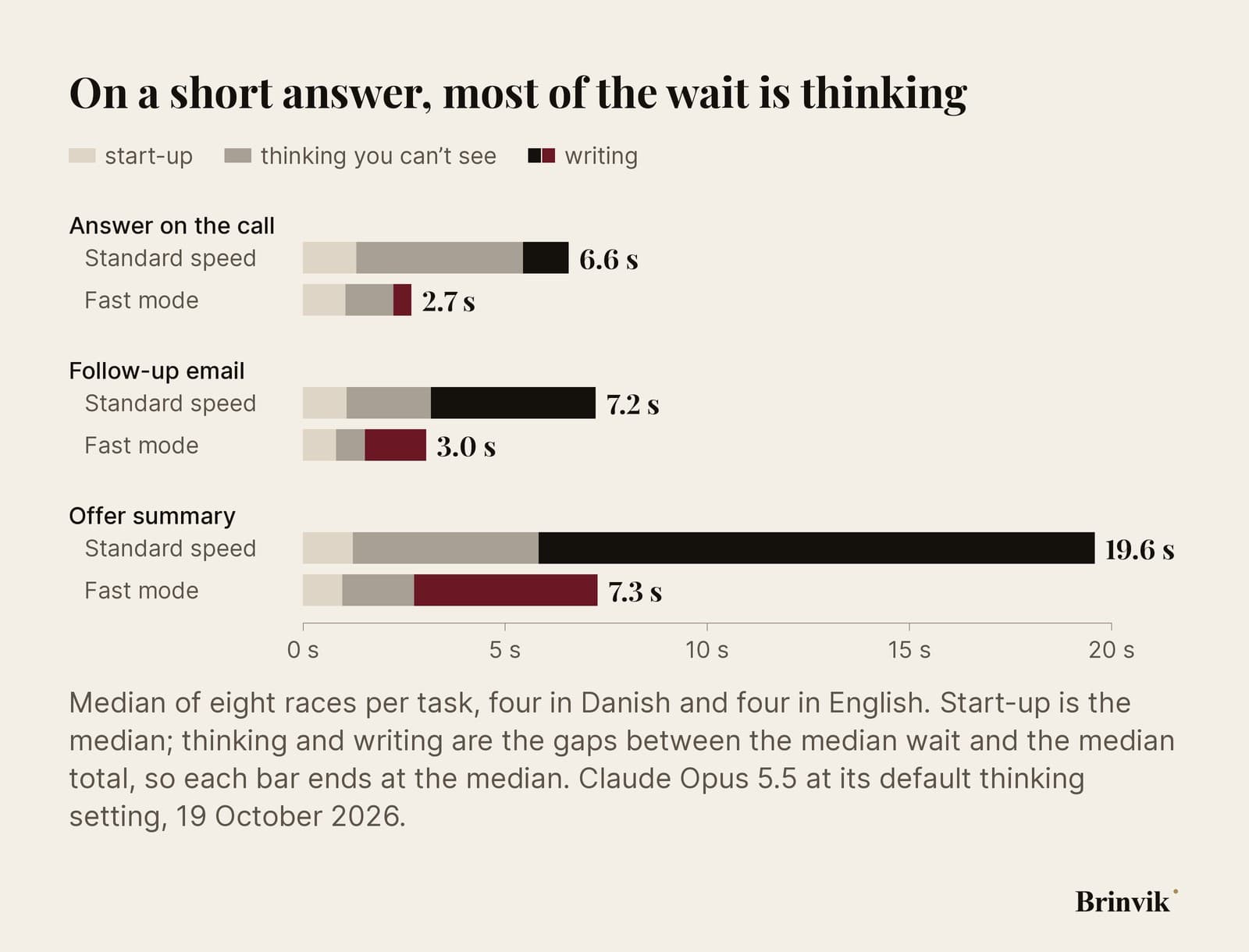
The bill explains it. Thinking is always on in Claude Opus 5.5, and in the test it thought before every answer. You don't see that thinking, but it counts as output. Of the roughly 490 tokens in the answer on the call, about 340 were thinking, and fast mode writes the thinking faster, like everything else. The hidden thinking took 4.1 seconds at standard speed and 1.2 with fast mode. That's the silence Sofie stands in before the first word appears.
On the long offer summary it's the writing that takes the time: 13.7 seconds versus 4.5. The longer the answer, the more seconds you save. The shorter it is, the larger the share of the wait that's thinking.

Low effort: faster and cheaper at once
Fast mode isn't the only way to shorten the silence. The effort setting decides how much Claude thinks. I ran the same 24 races again at low effort. On the answer on the call, the thinking fell from about 340 to about 70 tokens, and the answer was finished after 4.5 seconds at standard speed for 0.6 cents. Fast mode at low effort took 2.0 seconds for 1.4 cents, the quickest of the four and a little more than the 1.1 cents of standard speed at default effort. Anthropic says lower effort can mean weaker answers on complex tasks.
The test doesn't show everything. It ran on a single evening, with four races per task and language, invented tasks and one account, and the low-effort races ran fifteen minutes after the others. I didn't compare which answer was better, only when it arrived and what it cost. So before you turn effort down on a real sales call, read the answers.

Claude pricing in fast mode: three seconds for every extra cent
With fast mode the price per token doubles. The answers were about the same length, so at the median each answer cost just under twice as much, but race by race the ratio ranged from 1.18 to 2.98, because Claude thinks differently from call to call. The answer on the call cost 1.1 cents at standard speed and 2.2 cents with fast mode. The follow-up email 1.3 versus 2.6 cents, the offer summary 3.8 versus 7.2 cents. The whole test, 48 requests, cost $1.47 at list price.
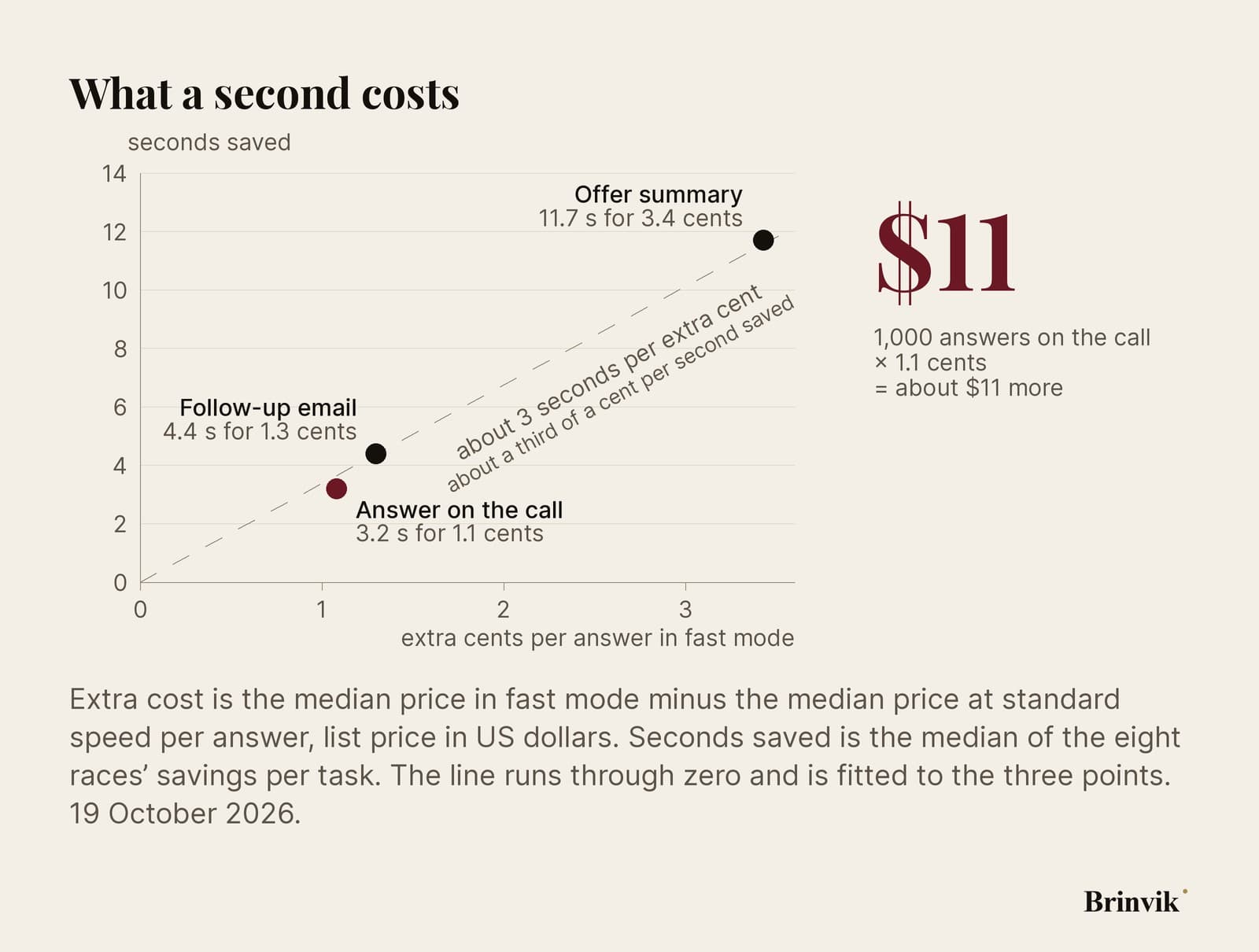
At that rate the amount is rarely the problem: 1,000 answers on the call cost about $11 more. The bill only gets big if fast mode stays on for everything, including the work nobody's waiting for.

Turn it on per task, not per person
Anthropic's own docs recommend fast mode for interactive work where latency matters more than cost, and standard speed for long runs and batch work. The test adds that on short answers you mostly pay for a shorter silence, and that low effort can buy some of the same silence for less.
So I set the speed on the task. Sofie has tasks where the customer is waiting and tasks where nobody is, on the same day.
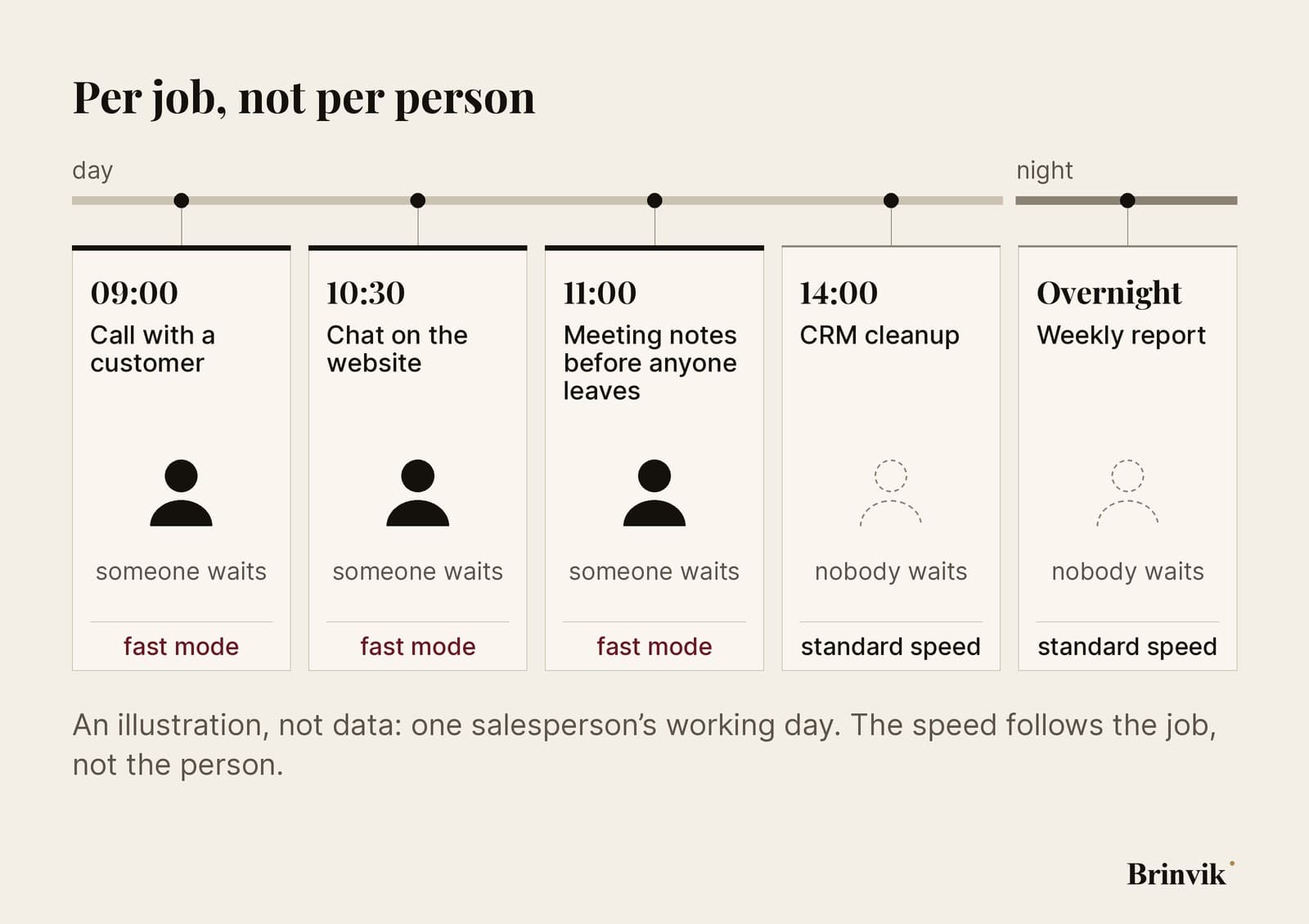
Two things from the docs make it a setting on the task rather than a switch someone flips mid-call. If you switch speed partway through a conversation, the prompt cache starts over, and the first fast request pays full price for the whole conversation. And fast mode has its own per-minute limit. If a request during a call hits it, you need to have decided in advance whether it waits and retries or runs at standard speed, because both cost seconds on the line.
Where nobody's waiting, a cheaper model is often the better saving, as in the Claude Haiku 5.5 test.

An AI sales agent is only as fast as its chain
On a real call the conversation also has to be transcribed, the customer looked up in the CRM and the answer put on screen. Fast mode shortens one link in that chain, but the customer feels how long the whole thing takes, and much of it depends on systems that aren't yours.
The whole chain is what I build as a Claude consultant and Claude specialist in internal AI tools, for example an AI sales agent beside the call that gives the salesperson an answer to an objection while the customer waits. Send me the three tasks your sales team uses Claude for most, and I'll tell you which one is worth paying for fast mode, which one gets by on lower effort, and which one can run cheaper.
FAQ
Frequently asked questions
On Claude Opus 5.5, fast mode costs $8 per million input tokens and $40 per million output, twice standard speed. In the test a short answer on the call cost 2.2 cents with fast mode versus 1.1 cents without, as the median of eight races.
No. According to Anthropic it's the same model with a faster setup, and it changes neither intelligence nor capabilities. I didn't compare answer quality in the test, only when the answers arrived and what they cost.
In Claude Code you turn it on with /fast, but it's billed to usage credits, not to your plan's included usage. On Team and Enterprise plans an owner has to allow it first. Through the API you pay per token.
In the test, two sentences to say on the call were finished after 2.7 seconds with fast mode and 6.6 without, at the median. The slowest fast answer took 3.8 seconds. What you experience also depends on the rest of the chain, such as transcription and the CRM lookup.
When nobody's waiting for the answer: overnight runs, CRM cleanup and reports. Fast mode also doesn't work with the Batch API, and switching speed mid-conversation starts the prompt cache over.
Fast mode has its own limit on how much you can use per minute. When you hit it, the API returns an error with a time to retry after. The SDK waits and retries on its own, and Anthropic also shows how to send the call at standard speed instead. Both cost seconds, so on a live call decide in advance which one you want.
Because thinking is always on in Opus 5.5, and that thinking isn't shown. In the test about 340 of roughly 490 tokens in a short answer were thinking. Fast mode and a lower effort level both shorten that wait.
Sources
- Claude Platform: release notes, 15 October 2026 (fast mode out of research preview on Claude Opus 5.5)
- Claude Platform Docs: Fast mode
- Claude Platform Docs: What's new in Claude Opus 5.5 (price and thinking)
- Claude Code Docs: Speed up responses with fast mode
- Brinvik: fast-mode-race-kit, the guide, script, prompts and every call