TL;DR: Sonnet 5.5 costs the same as Sonnet 5, but Anthropic lists five changes that can make code written for Sonnet 5 fail with a 400 error, and one that doesn't raise an error at all. You catch the five loud ones in testing or in a log. The sixth warns nobody: when an agent calls tools and streams to a chat window, the longer notes between tool calls disappear, and a salesperson stares at a spinner while a customer waits. One setting fixes it, and the checker below shows which of the changes hit your request.
The checker starts with a sales assistant that runs on Claude Sonnet 5 today, and that's exactly the one that goes quiet. Anthropic launched Claude Sonnet 5.5 on 28 September 2026, and the same day I had Claude Code build the checker from Anthropic's own migration guide.

Do you need to do anything about Claude Sonnet 5.5?
It depends on how you run Claude.
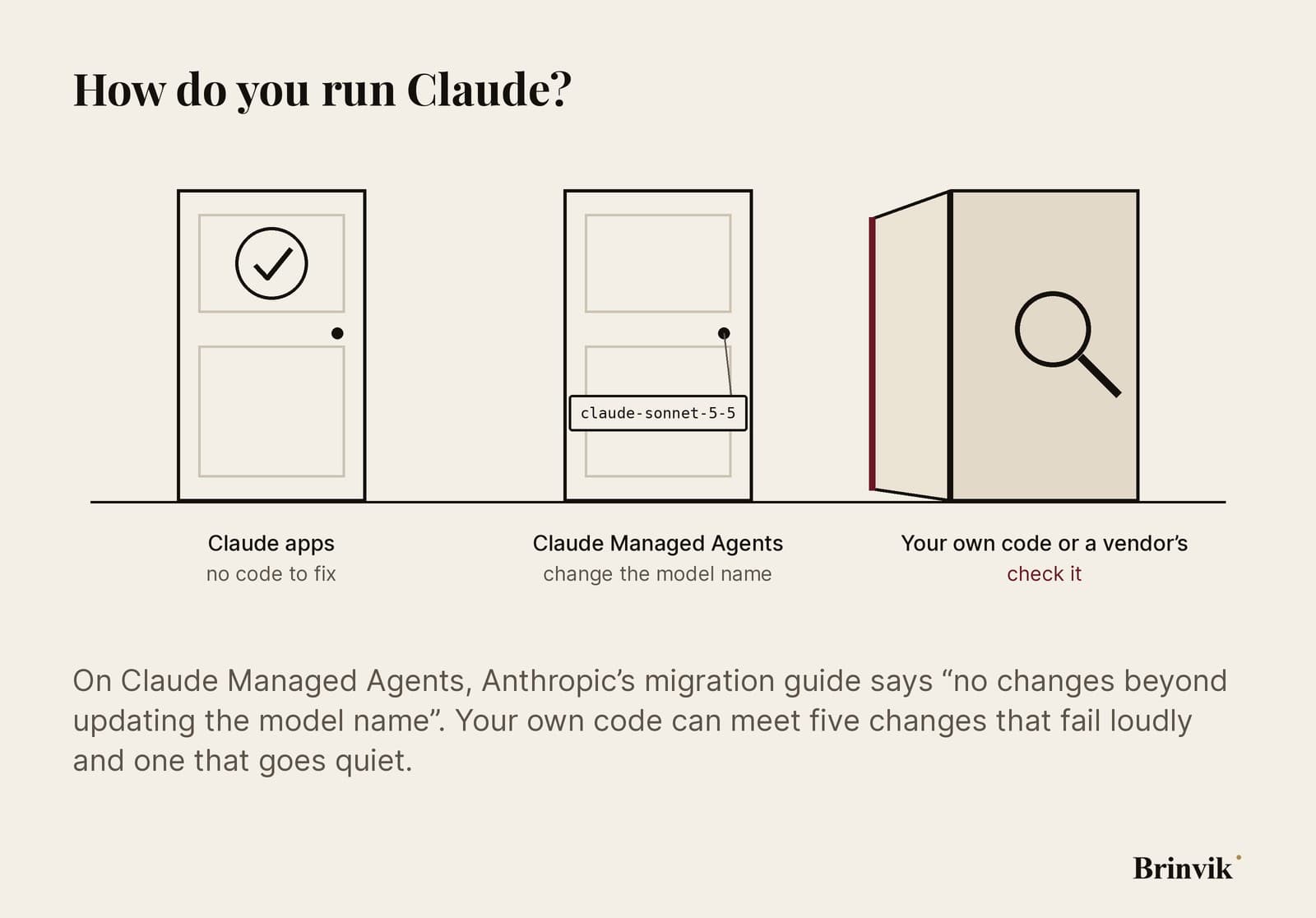
- If you only use the Claude apps, Anthropic's migration guide doesn't concern you. It covers code that calls the API.
- If you use Claude Managed Agents, Anthropic's migration guide says nothing changes beyond the model name.
- If your own code calls the Claude API, or a vendor's does, read on. This is where the swap can go wrong.
That last group is bigger than it sounds. Support agents, lead scorers and AI sales agents inside a CRM are often built by a vendor or a colleague. Each one runs on a model name someone will change one day.

Why you'd switch anyway
The price hasn't moved from Sonnet 5: $2 per million input tokens and $10 per million output tokens. By Anthropic's own measurement, Sonnet 5.5 generates its output more than 30% faster than Sonnet 5, it typically needs fewer tokens for the same work, and in Anthropic's testing it costs up to 30% less per task.
The customers on the launch page back this up. Zendesk says tickets were processed 20% faster than with the Claude models it runs in production today. That's Zendesk's own number, from its own support cases.
Anthropic is also clear about where the line is. Sonnet 5.5 is strongest at well-scoped everyday tasks, bug fixes and documents, while, in its own and external testers' experience, Opus 5.5 "remains clearly stronger" at complex, open-ended work that needs judgment over time.
So I'd switch. The work is small once you know where it is.

Four AI agents, checked
The checker ships with four examples that look like agents a commercial team actually runs. Three were written for Sonnet 5, one for Sonnet 4.5. The checker knows 17 rules. They cover four of Anthropic's five changes since Sonnet 5 (the fifth, edited history, can't be seen in one request), the one that doesn't raise an error, the model name, and the older changes the migration guide lists.

- The sales assistant streaming to a chat window gets no 400 error. It goes quiet. More on that below.
- The support triage agent fails loudly twice. It turns thinking off with
disabled, which Sonnet 5.5 rejects, and it forces a specific tool call, which Sonnet 5.5 won't accept either. - The agent that fills in a web form fails loudly twice: the old version of computer use, and a beta header that can't sit next to the new toolset.
- The lead scorer, written for Sonnet 4.5, fails loudly four times: a thinking budget, a temperature, a prefilled answer and a format field that has moved.
Every fixed request gets checked again and comes out clean. But look at the triage agent. Once disabled becomes between_tools, the text between tool calls comes back, so it doesn't go quiet. It's the sales assistant that goes quiet, and it has no thinking field at all. The triage agent breaks on day one and gets fixed. The sales assistant ships, and the first person to find out is in front of a customer.

The agent that goes quiet
Picture the sales assistant in use. A salesperson types: "I have a call with Nordhavn Fragt in ten minutes. What's open?" On Sonnet 5 the assistant talks as it goes. It looks the company up in the CRM, pulls the open deals, and says what it's doing while it does it.
On Sonnet 5.5 the same tool calls run. But the longer notes between them now arrive in thinking blocks (the part of the response where the model reasons), and at the default setting their text is empty. Short remarks still come through. In Anthropic's own words, an app that streams that text to its users "goes quiet between tool calls".

There's no error message and nothing red in a log. The developer sees nothing, because nothing fails. The first person to notice is the salesperson watching a spinner while the customer waits.
You can spot it in advance with one look at the request. Your agent goes quiet if it calls tools, streams its answer to a person, and neither sets display on the thinking field to summarized or updates nor uses between_tools. If a vendor built it, those are the three questions to send them.
The fix is one setting. In a chat your customers read, set display to updates with the beta header Anthropic names. Or use between_tools if the agent shouldn't think before it answers. Either way, only the notes meant for the user come through. Avoid summarized there: it also sends summaries of the model's reasoning, and Anthropic says you can't tell those apart from the notes.

Three ways to check your Claude integration
Which one you use depends on how much access you have.
- A browser and nothing else: the checker near the start of this article. It reads one request and nothing more. You can send the link to whoever owns the agent.
- Read access to the code: a prompt for Claude Code that finds every place the code calls Claude and lists what hits each one. It changes nothing.
- Permission to change the code: Anthropic's own skill in Claude Code,
/claude-api migrate. It swaps the model name and fixes the parameters across the whole code base, and asks first how much it's allowed to touch. If you're allowed to change the code, it's the better choice.

The checker has limits, and they're on the page. It reads one request, not code. It can't see whether your code reads the response as content[0].text, a pattern that breaks when a response starts with a thinking block. Nor can it see whether your code edits earlier history before sending the conversation again. Replaying a thinking block after that returns a 400 error on accounts created on or after 31 August 2026. And it knows the rules as they stood on 28 September 2026.
You can take the rules with you, too. swap-check.js is the same rules engine as a file you can drop into a test suite.

What I do when a client gets a new model
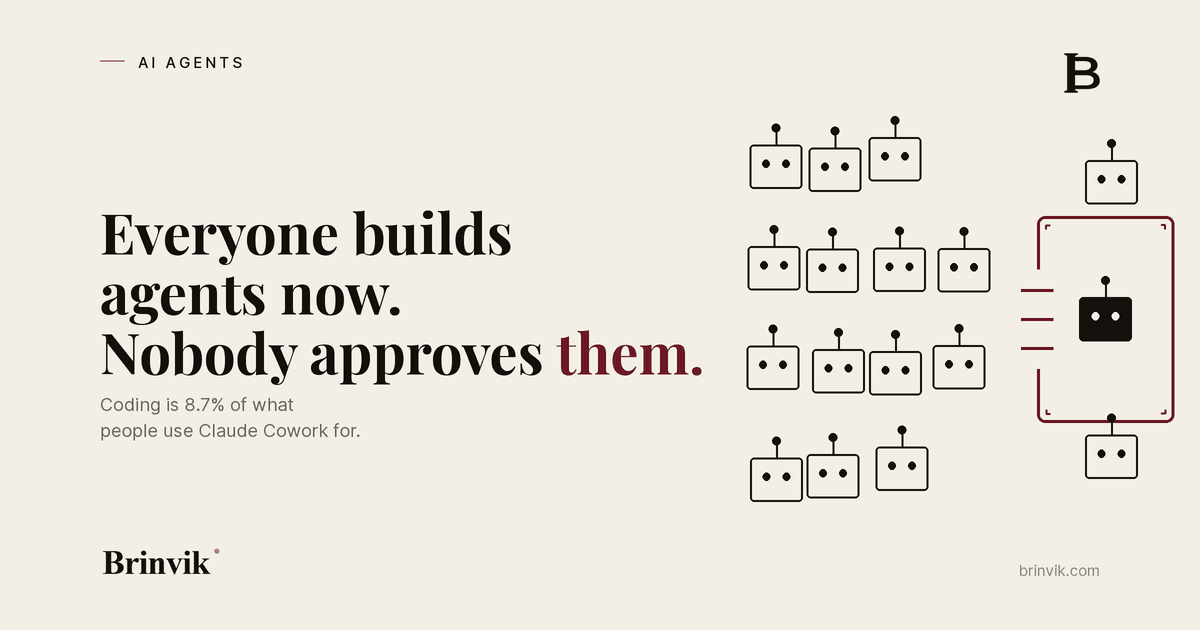
As an AI consultant, I see the same situation again and again. The agent runs, but the person who owns it doesn't own the code. The agent was bought from a vendor, or a colleague built it without a developer, which I wrote about in Everyone can build an agent now. That person can't run /claude-api migrate and doesn't know which changes apply.
That's what I do on an AI consultant retainer. When Anthropic ships a new model, I go through your AI agents, fix what fails loudly, find the agent that goes quiet, and test the swap with the people who use it before it goes live.
One look at the request finds the quiet agent before the salesperson does.
FAQ
Frequently asked questions
The same as Sonnet 5: $2 per million input tokens and $10 per million output tokens, and $0.20 per million tokens for cache reads. Anthropic says the model typically uses fewer tokens for the same work, and that in its own testing it costs up to 30% less per task.
The price is the same, and by Anthropic's own measurement Sonnet 5.5 generates its output more than 30% faster. If your own code calls the API, check it first for the five changes that return a 400 error, and for the one that makes a chat window go quiet without an error.
Among the changes Anthropic lists are code that turns thinking off with disabled instead of between_tools, forces a tool call with tool_choice any or tool, uses computer_20251124 on the Claude API or Google Cloud, or a non-default temperature. The checker near the start of this article shows which ones hit your request.
The longer notes the model writes between tool calls now arrive in thinking blocks, and at the default setting their text is empty. Set display to updates with the beta header Anthropic names, or use between_tools. Avoid summarized in a chat your customers read: it also shows summaries of the model's reasoning.
Yes. According to Anthropic's release notes it's available on the Claude API, Amazon Bedrock, Claude Platform on AWS, Google Cloud and Microsoft Foundry. On Bedrock the model ID is anthropic.claude-sonnet-5-5.
Yes. Anthropic says that, like Opus 5.5 and Sonnet 5, Sonnet 5.5 is available with zero data retention.
Anthropic says Sonnet 5.5 is strongest at well-scoped everyday tasks, bug fixes and documents, while Opus 5.5 remains clearly stronger at complex, open-ended work that needs sustained judgment. Opus 5.5 costs $4 per million input tokens and $20 per million output tokens.