

TL;DR
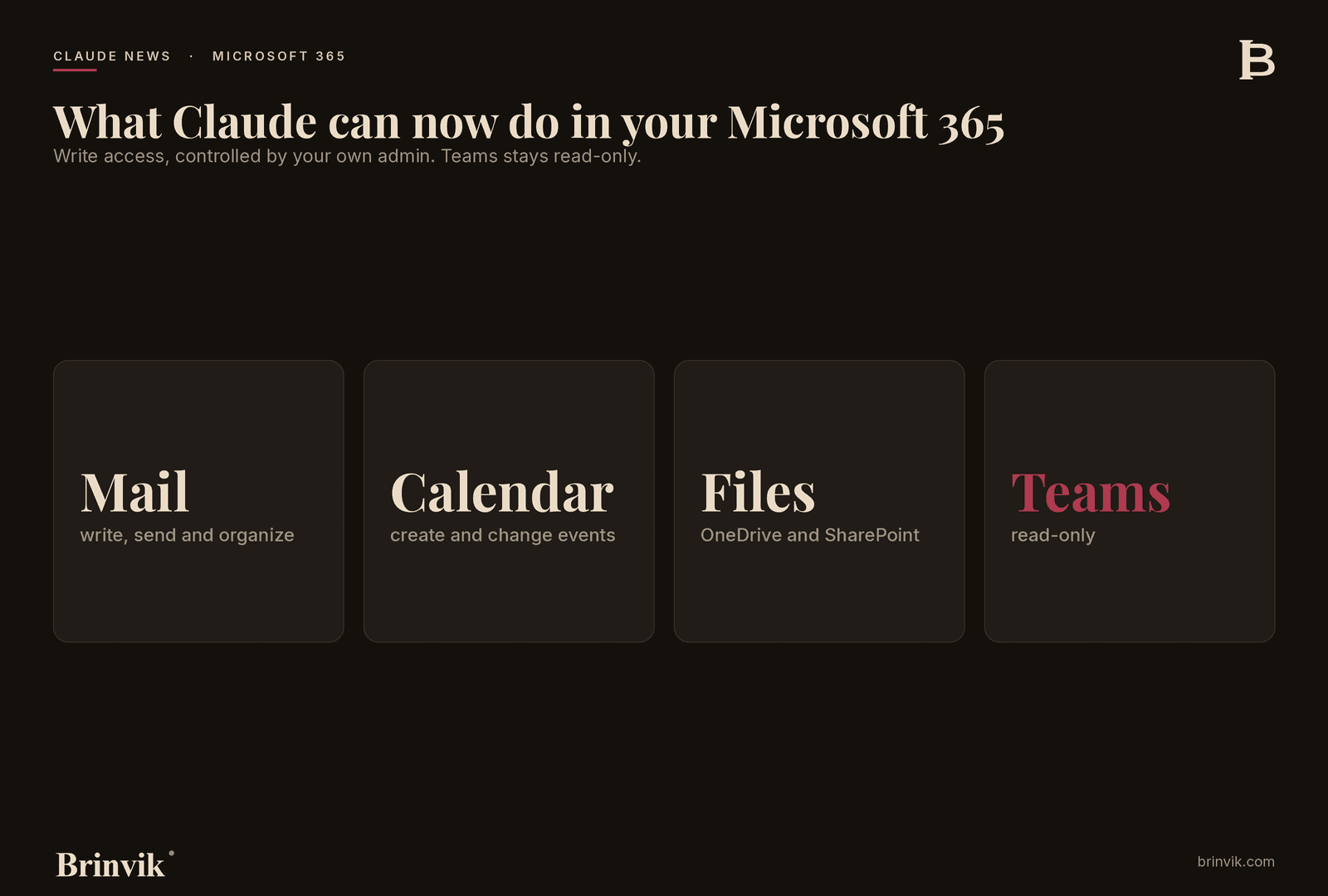
On 7 July 2026, the Microsoft 365 connector (the integration between Claude and your Microsoft account) gained write tools. That means Claude is no longer limited to reading and finding things in your email, calendar and files. It can now write and send email, manage calendar events, update mailbox settings, and create and update files in OneDrive and SharePoint. Read and search work as before. Teams stays read-only.
For someone running a company, here is what matters: AI workflow automation moves from "Claude suggests" to "Claude does." The gain sits inside the tools you already pay for. And there is a deliberate brake built in that makes it safe to roll out. I will walk through what is new, where the real time savings sit, and what I would concretely advise you to do.
The source
The news comes from Anthropic's own release notes for Claude, dated 7 July 2026. It is a product update, not a claim about results, so there are no vendor numbers to treat with caution. Everything below is based on the official description.
Claude Release Notes, 7 July 2026 →
What actually changed
Until this week, the Microsoft 365 connector was a search engine. Claude could find the email, read the document and tell you what the calendar said. Then you took over the rest.
With write tools enabled, Claude can now act inside those same apps. Specifically, it can write, send and organize email. It can create and change calendar events. It can update mailbox settings. And it can create and update files directly in OneDrive and SharePoint.
Two things need to be said plainly, so you do not expect more than there is. Teams stays read-only, so Claude can follow along in Teams but not write there. And write access is not simply switched on for you. A Microsoft Entra administrator (the person at your company who manages login and access in Microsoft) has to actively consent to the updated set of permissions, and an administrator has to enable the feature for the organization. Read and search access work exactly as before.
From librarian to colleague
I think the most useful way to understand this update is the shift in what Claude is for your team.
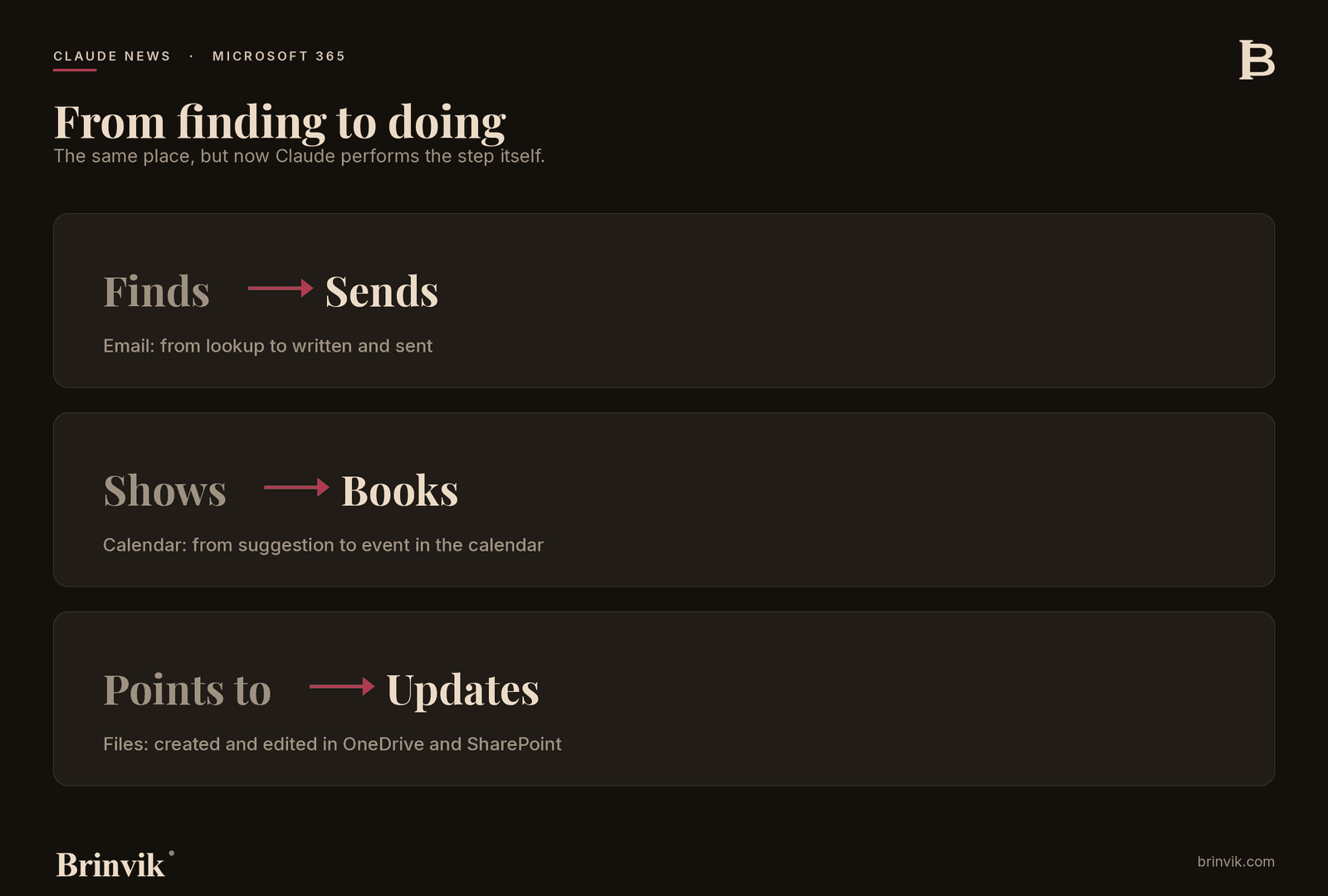
Before, it was a capable librarian. It could find everything, summarize it and lay it out neatly. But when the work had to be done, you were left holding it. You copied the answer into Outlook, fixed the formatting and saved the file in the right place.
Now it does the task itself. It does not just draft the follow-up email, it sends it. It does not just suggest a meeting time, it puts the event in the calendar. It does not just point at where the document should live, it creates and updates it in SharePoint.
That sounds like a small technical detail. It is not. It is the exact moment people stop experiencing AI as a chat box and start experiencing it as someone on the team. And that shift is what decides whether an AI investment turns into something real or ends up as a tab nobody opens.
The gain sits in the tools you already pay for
Here is the part that removes the most common objection I meet. The fear that AI means yet another expensive project, another system, another rollout on top of everything else.
That is not the case here. There is no new tool to buy. Your team already lives in Outlook, SharePoint and OneDrive. The license was paid for years ago. What is happening now is that the gain sits inside the license you already have. It just needs to be switched on the right way.
For a company, that is the most important sentence in the whole story. You do not have to build something new from scratch. You free up capacity in something you already own and already know. That is a very different conversation from a platform migration, in price, in risk, and in the time it takes to get started.
The last mile is where the time sits
Most AI gains die at the handoff. Claude writes a good draft, and then a person spends ten minutes copying it in, fixing it and filing it. Multiply that by how many times a day it happens across a whole team, and you can see where the time actually leaks.
Write tools close the last mile. The follow-up email gets written and sent. The meeting gets booked. The file gets saved in the right place straight away. It is not the big, flashy win. It is the small, repeated friction that disappears, and that is usually where the real time sits.
It is also the most honest way to measure an AI gain. Not "look what it can do," but "how many clicks and app switches vanished from an ordinary working day." When you assess this update for your own company, that is the number I would ask you to look for.
Governance is not a brake, it is the reason you dare
The moment Claude can write in your email, your calendar and your files, the question changes. It is no longer only about what it can do. It is about what you trust it to do, and who gave permission.
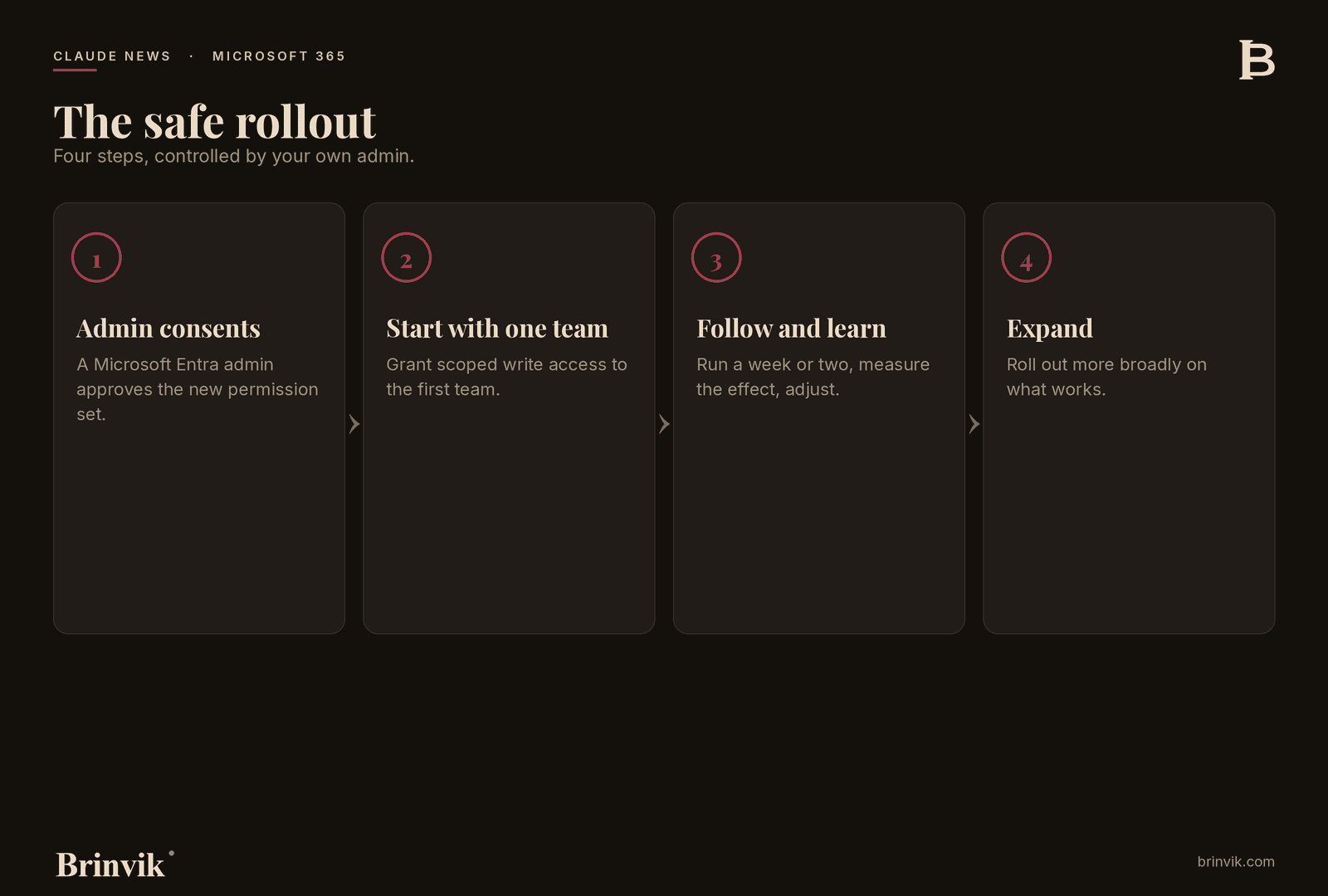
That is why, in my view, the admin brake is not an obstacle. It is a strength. The fact that a Microsoft Entra administrator has to actively consent to the new permission set, and that an administrator has to enable it for the organization, means you set the pace. You can grant write access to one team first, see that it works, and then expand. You do not have to switch everything on at once for the whole company.
It is the same discipline a SOC 2, ISO 27001 or ISO 42001 audit looks for: access that is scoped, deliberately granted and possible to review afterwards. Governance is not a checklist you tick at the end. It is the very reason you dare hand Claude the keys in the first place. So treat the consent step as a feature, not a nuisance.
Here is my opinion: start with one team now
Much of the above is fact. This is a judgment, and I write it as an opinion you are free to disagree with.
I believe most companies should switch write access on for one team now and expand from there, rather than waiting for a big, unified rollout. The reason is simple. The friction it removes is real and felt immediately, and the admin brake makes a small start safe. You can pick a team where the tasks can stand being tried out, grant scoped access, follow it closely for a week or two and learn from it, before you widen it.
Waiting for the perfect, fully considered rollout sounds responsible, but in practice it costs the most. While you plan, the team still sits stuck with the manual bottleneck. A small, controlled first step gives you both the gain and the experience you need to roll out more broadly afterwards. That is how I would approach it myself, and it is how I help companies do it.
Give the team the framework, not just the access
When you start with one team, give them more than a switch that is turned on. Give them the framework to use Claude well. That is why I pair this kind of start with an AI fluency workshop, where the team learns to work with Claude so the result is their own and not just something the machine spits out.
It matters even more once Claude can actually send email on your behalf. At that point it is not enough that the tool works. The team needs to know when to check, when to correct, and when to say no, so a human owns what gets sent. The framework is what turns write access into a strength rather than a risk. You can see how I run this kind of engagement under AI fluency workshop.
What it means for Nordic B2B SaaS companies
For a SaaS company where the team lives in Microsoft 365, this lands straight in the daily routine. Customer success, onboarding, internal coordination, all the work that happens in email, calendar and shared documents, can now have Claude perform steps rather than just suggest them. Start with one repeated workflow, for example follow-up after customer meetings or updating internal status documents, and measure the effect before you widen it. The controlled rollout suits a company that wants to move from experiment to operation without losing control.
What it means for telemarketing and sales teams
For a sales team, the administrative bottleneck after every conversation is what eats the time. The follow-up email, the notes, the next appointment. With write access, Claude can write and send the follow-up and update the shared files without anyone switching between five tabs to get it done. That is selling time coming back. Here it is worth tying it to a proper system, so access is scoped to what the team actually needs and the rest stays closed.
What it means for professional services firms
Lawyers, accountants, advisors and agencies work in documents and email all day, and here both the gain and the sensitivity are highest. Claude can create and update case documents in SharePoint and handle correspondence, but precisely because the material is often confidential, scoped, admin-controlled access is not up for negotiation. Grant access per team or per case area, document who has what, and log it. That way you get the speed without loosening confidentiality.
What it means for founders and scale-ups
For a small, fast team, the best thing about this update is that there is nothing to build. Switch it on, scope the access, and let a small team run on it. At the same time, be aware that the feature is still in beta and starts on the Max plan. So do not build a business-critical process on top of it yet. Try it on something that is allowed to fail, and gain the experience while the stakes are low.
GDPR, data hosting and what applies to companies in Denmark
The honest note last, because it matters most to those of you based in Denmark. There are two things to keep track of.
The first is access. Write access to email, calendar, mailbox settings and files is a real step up from read-only. It is good that it requires active admin consent through Entra. Use that deliberately. Grant access in a scoped way, document who has what, and log it. That is the kind of control that holds up to an audit.
The second is where data is processed. The native Claude connectors run on US-hosted inference (the data processing itself happens on servers in the US), unless you route it through an EU region via AWS Bedrock or Google Vertex AI. Here I will not give you a rule of thumb, because there is not a good one. It depends on which data is in play, and it belongs in a concrete conversation about a data processing agreement before you put it into operation. For some tasks the native path is fine. For sensitive data it points toward an EU-hosted setup. The answer is a judgment, not a checkbox, and that is exactly the judgment I make together with my clients.
How Brinvik helps
If you want Claude working inside your Microsoft 365, safely and scoped, that is exactly what I do. I set it up so access fits your governance, start with one team and build out from there, and make sure your people can keep running it themselves once I am out the door. You can read more about how I deploy Claude internally in companies at Internal AI tools.
Sources
Primary source:
- Claude Release Notes, 7 July 2026: https://support.claude.com/en/articles/12138966-release-notes
Supporting documentation from Anthropic:
- Set up the Microsoft 365 connector: https://support.claude.com/en/articles/12542951-set-up-the-microsoft-365-connector
- Connect to Microsoft 365: https://support.claude.com/en/articles/15183774
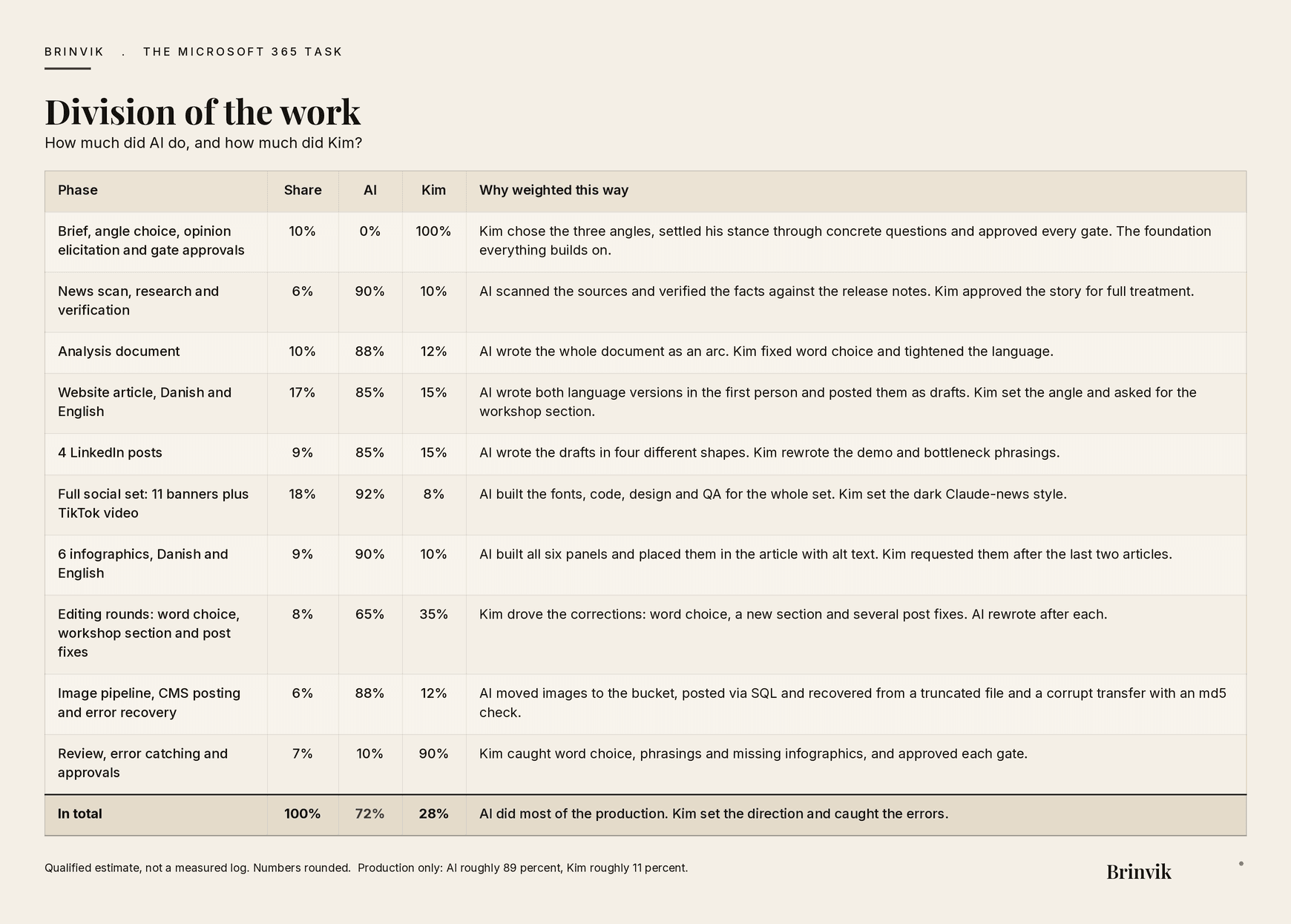
This work was produced in collaboration with AI. Overall: AI about 72 percent, Kim about 28 percent. Production only: AI about 89 percent, Kim about 11 percent.
FAQ
Frequently asked questions
Yes. With write tools enabled, Claude can write and send email, manage calendar events, and create and update files in OneDrive and SharePoint. It requires a Microsoft Entra administrator to consent to the new permissions, and an administrator to enable the feature for the organization. Teams remains read-only.
It can be, if you set it up correctly. Access is scoped and controlled by your own admin, which makes a gradual, auditable rollout possible. Be aware that native Claude connectors process data in the US unless you route through an EU region via AWS Bedrock or Google Vertex AI. Whether that is necessary depends on your data and should be settled in a data processing agreement.
No. It uses the Microsoft 365 you already have. There is no new system to buy or migrate to. The feature has to be switched on by your administrator, and access is scoped to the teams you choose to start with.